SelectJet Imagesetter Positive Logo Positivity Tutorials
Simple Exposure Calculation
SelectJet Image Setter
 
Positivity home page
SelectJet & CopyJet imagesetter systems
Wasatch SoftRIP software
SelectJet & Copyjet Screen Films
xd imagesetting systems
Imagesetting resources
FAQs on imagesetting systems
Recommendations From Clients
Colour Management
Positivity Contact Details


Calculating Optimum Exposure

It's easy to determine the optimum exposure time for a system even if you don't have an exposure calculator such as the Stouffer strip. Commercial exposure calculators are neutral density filters that allow specific percentages of the light to pass through so that you get a range of exposures from one experiment. This can be achieved in a less elegant but more practical method.

Standardise all your variables:
Thickness of emulsion
Emulsion type
Exposure difference
Temperature

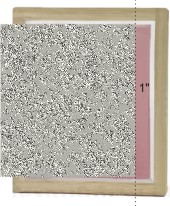
Take a coated screen and cover all but about an inch with a piece of card, expose for a minute.
You may have a good idea what the exposure should be, you can alter the range given in this tutorial to suit your system.
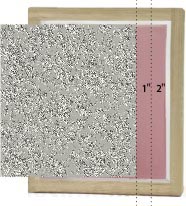
Move the card over an inch and expose for another minute:

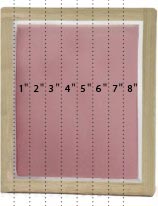
After a few minutes you will have a screen with a range of exposure on it:

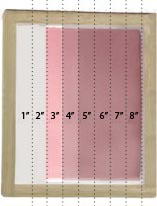
When washed out it may look something like this:

1&2" have washed out, 3&4" are underexposed, 5" is OK, 6 is probably safe.
If you haven't got a reasonable range, just go back and do it again.

Your light source will deteriorate over time so you should repeat at regular intervals and if signs of underexposure occur.

It will be a good idea to have a positive with some text on to check for overexposure, when the open areas are filling-in you are overexposing.

   
Screenprinting Tutorials
from Positivity

Convert a Logo for Screenprinting Corel X4

Simple Exposure Calculation

What is an ICC Profile?

Corel PowerClip

Exposure Problems - details

 
Wasatch Tutorials
and Videos

Spot Colour Replacement

Colour Atlas Generation

Dynamic Layout

Variable Data

RIP Queues

Wasatch ImageNet

Cost Estimation

'Popping' Colour 1

'Popping' Colour 2

Wasatch Port Redirector

Print From a Mac

Hot Folders

Templates


Positivity Contact Details 01793 686 380
Home | Imagesetters | Films | RIP | Clearance | Resources | Feedback | FAQs | Colour | Contact